

Appointments in your hands.
Upcoming and completed bookings stay together under one account. Move an hour, cancel within salon rules or leave a review after your visit.
Self-service rescheduling and cancellation follow each salon's booking policy.
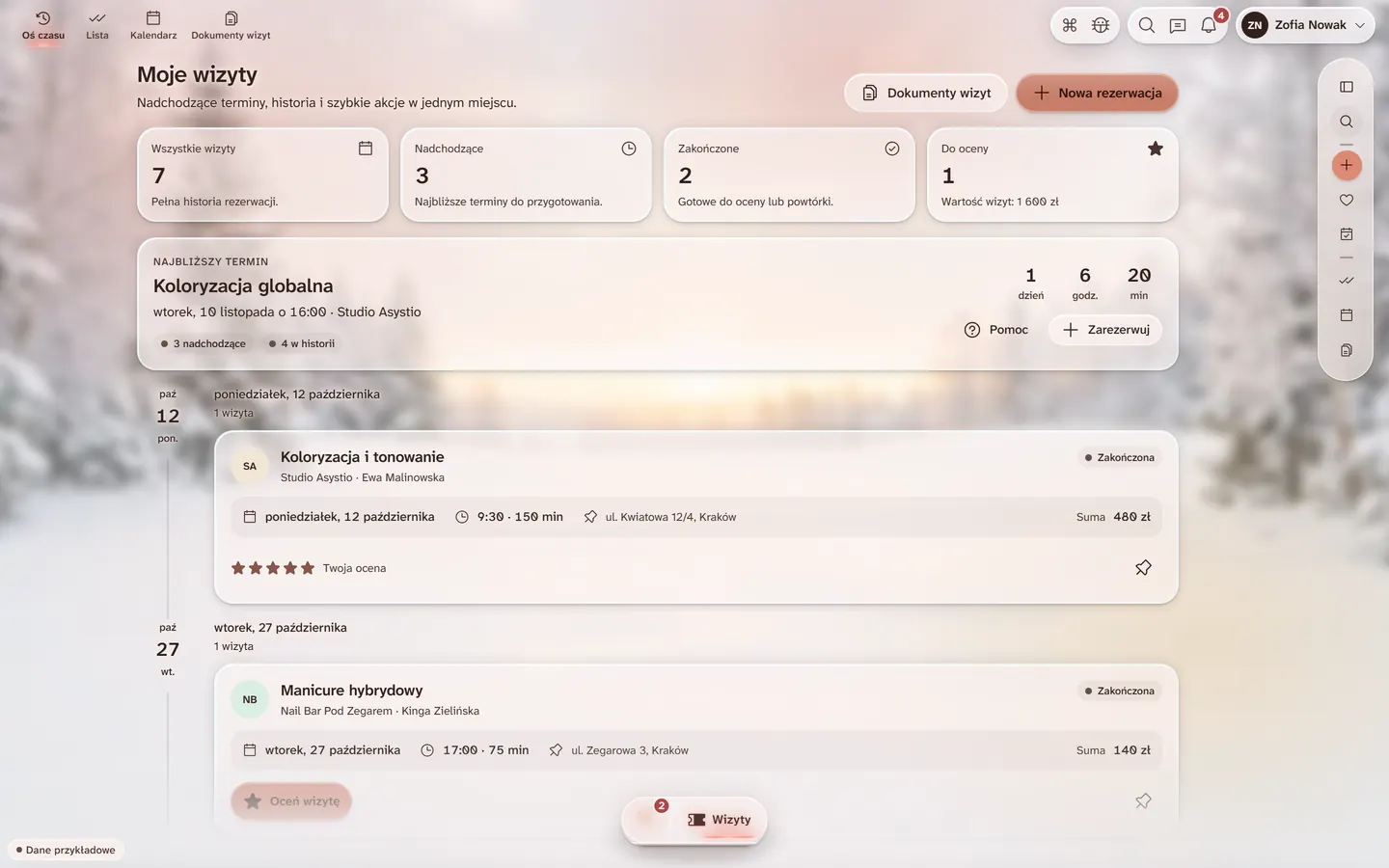
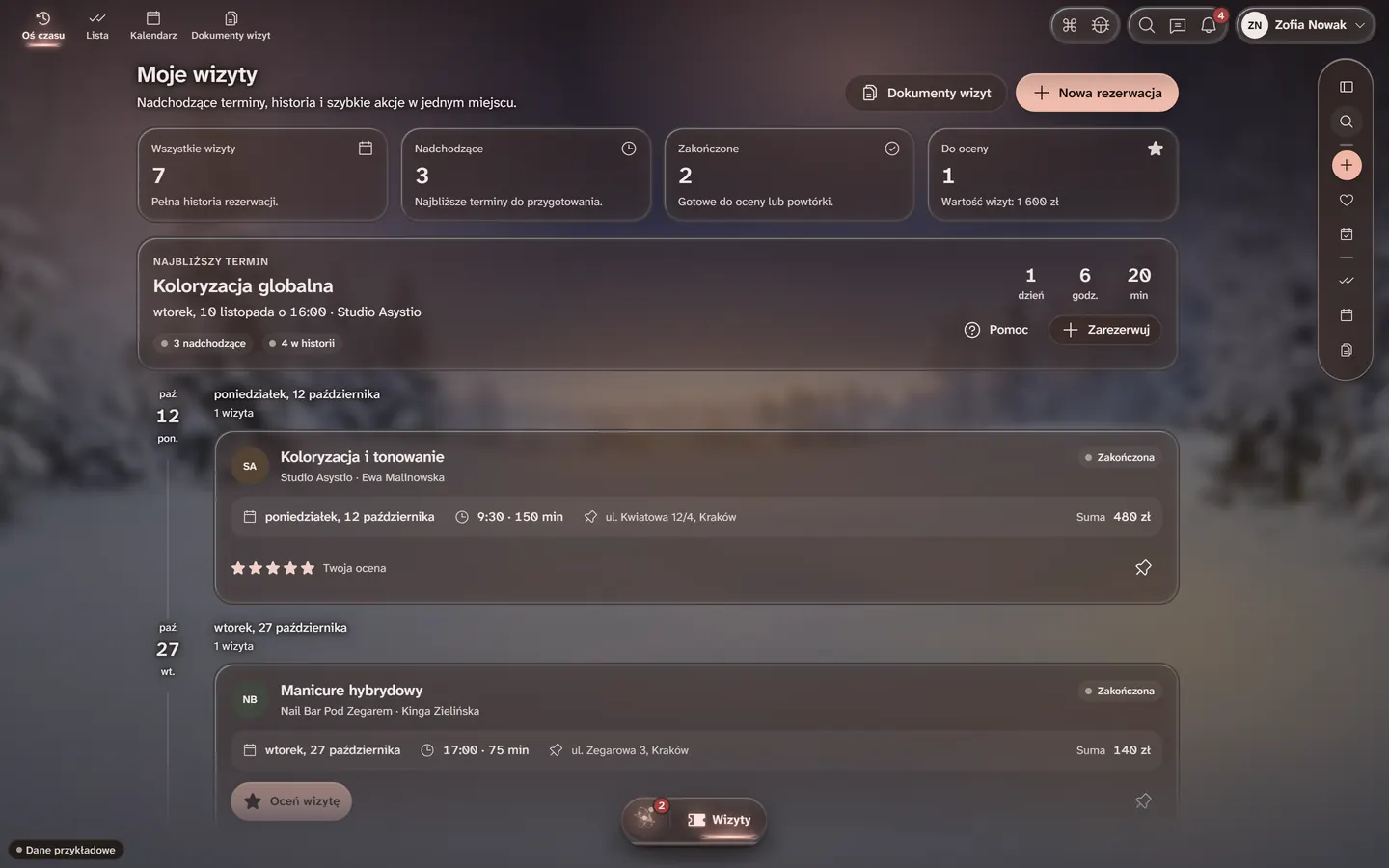
Views tailored to how you plan your week
- 3 layoutsswitch between timeline, list or calendar view
- 30 minreschedule slots shown between 08:00 and 20:00
- 4 actionscontact salon, reschedule, cancel or review after a visit
How to move or cancel a booking
Open My appointments
Switch between upcoming and past tabs and pick timeline, list or calendar layout.
Choose Reschedule or Cancel
The reschedule picker offers open 30-minute windows between 08:00 and 20:00.
Confirm per salon policy
Each business controls whether self-service edits are enabled and how many hours in advance they apply.
Contact details and reviews stay right on each visit.
No digging through browser history for a salon's phone number or forgetting when your last session took place.
Salon contact on the card
Open the business contact details directly from the booking without leaving your itinerary.
Post-visit review
Rate completed appointments and share your review straight inside the web portal.
Android calendar sync
Push upcoming reservations straight to your device calendar with the Android app.
Can every appointment be moved or cancelled online?
Whenever the salon enables self-service changes and your request meets their minimum notice window.
Which hours appear in the reschedule dialog?
The slot grid lists 30-minute intervals running from 08:00 to 20:00 for the selected day.
Where do completed visits go?
Into the past appointments tab in My appointments, where you can also open the review option.
Handle your next visit without calling.
Check upcoming dates or pick a better slot in seconds.