Skip to content
MirrorTry a hairstyle, makeup, nails or a tattoo, or a free skin care preview.Try it without an account

From the visit to the invoice.

You issue an invoice from the client card, with no retyping. One list shows what is paid and what is waiting.

No card saved and no automatic renewal.

Where invoices drift away from the work

Invoices apart from the work and invoices with the work
ProblemWhen invoices live apartIn Asystio
Invoice and client fileWhen a client asks for details, you rebuild the amounts from memory.Documents sit with the client, the service and the job.
CostsYou see them only at month end, and the margin looks better than it is.Costs connect to daily work, so you see the result as you go.
Data for a KSeF e-invoiceThe more retyping, the higher the risk of error.The invoice is created with the service, so the e-invoice has complete data.

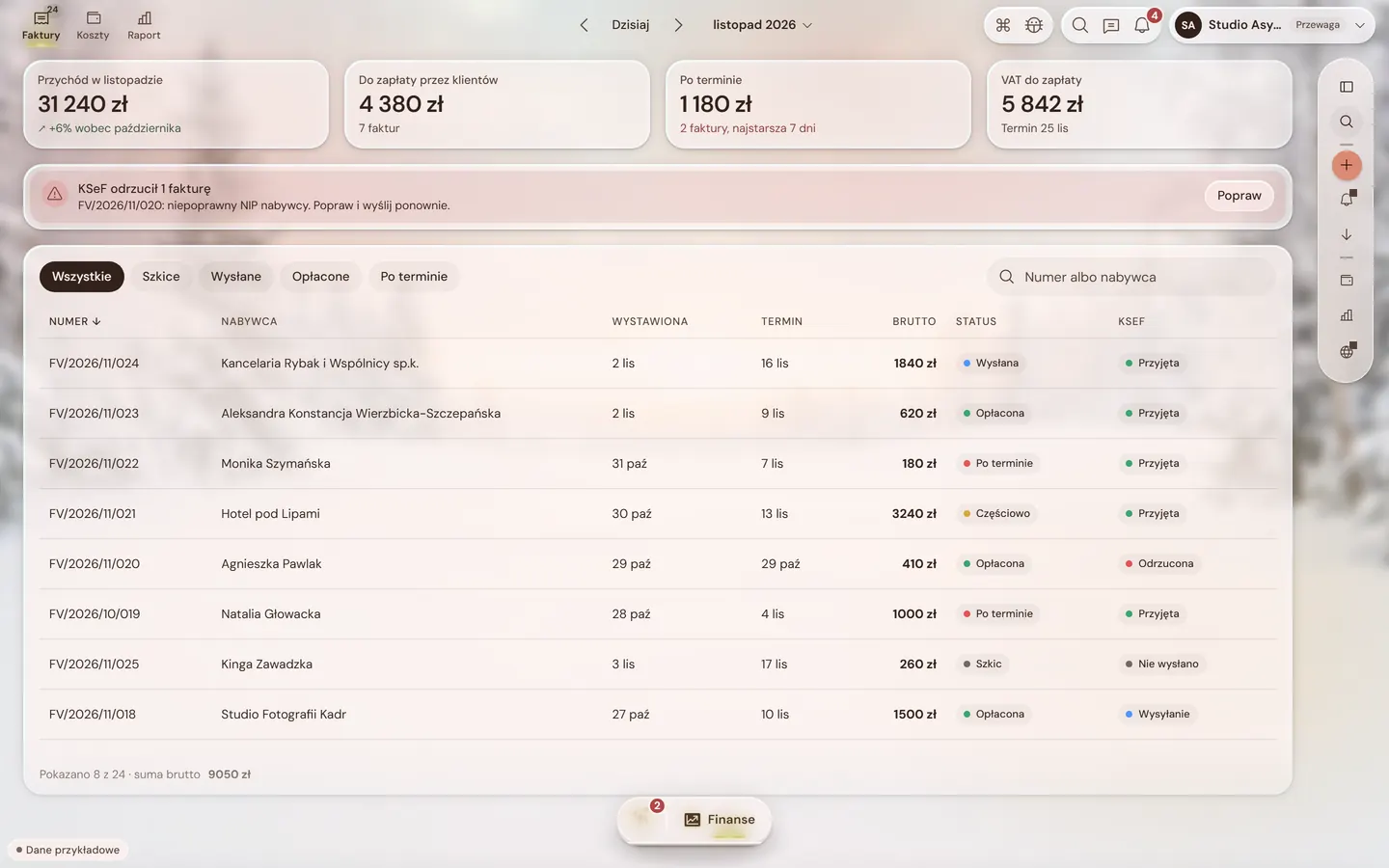
Overdue and paid invoices in one database.

Sales invoices, purchase costs and a 30-day cash projection sit next to your margin on finished services.

  • Split into paid and waiting on one list
  • Asystio tags costs and summarises business expenses
  • KSeF e-invoices prepared for your approval
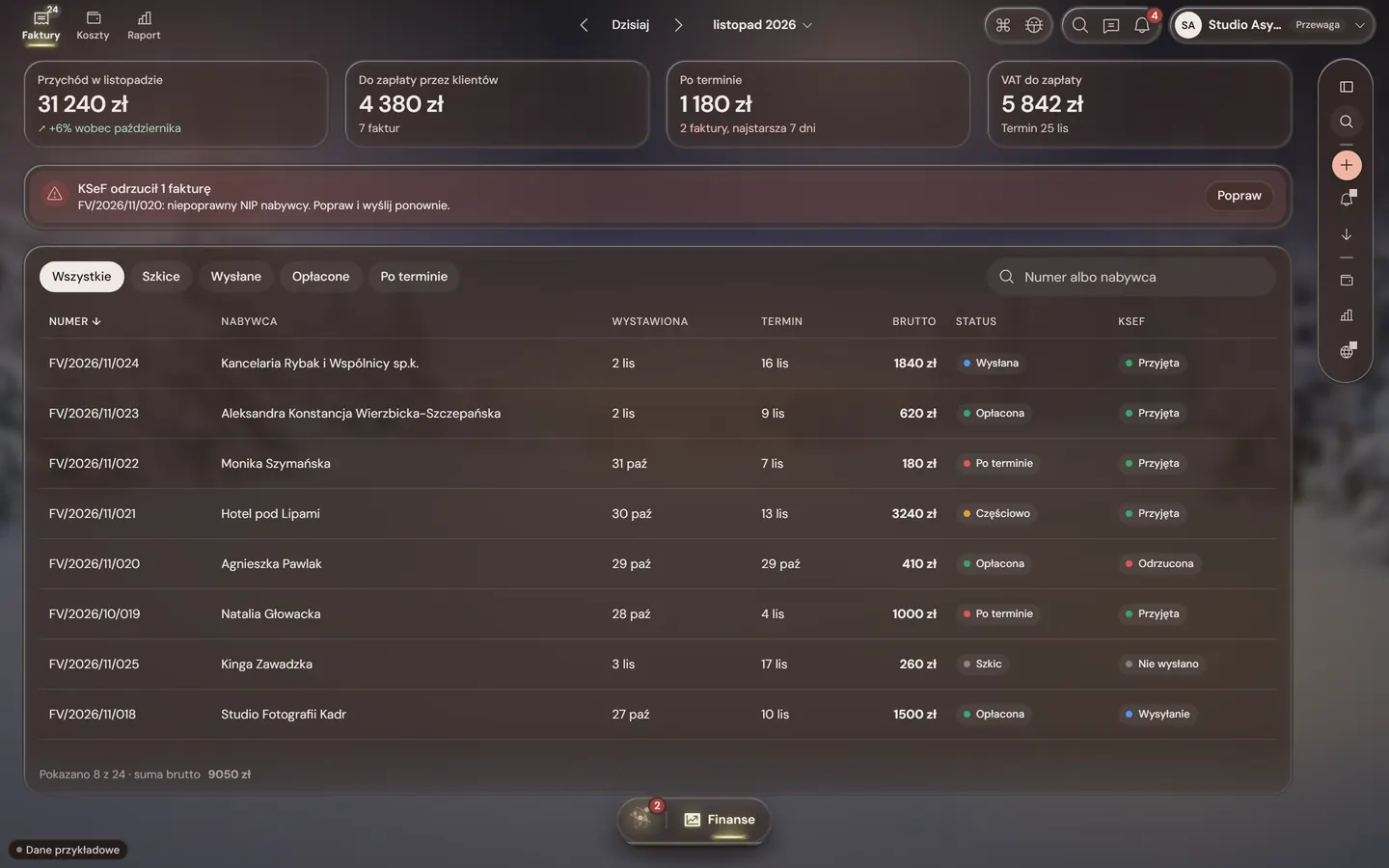
The Finance module: overdue and paid invoice list with costs, sample dataThe Finance module: overdue and paid invoice list with costs, sample data
Overdue and paid invoices in one database

What one Asystio subscription replaces

Compare separate bills for calendar, CRM, inbox and invoicing against the fixed PLN 149 price.

Example: 4 separate subscriptions

Sample breakdown when scripts are disabled: invoicing tool alongside bookings, client cards and Inbox.

Replaced software breakdown
Tool in the businessSample billIn Asystio
Calendar and online booking (3 people on Booksy Biz)215 PLN netincluded in plan
Client cards and CRM99 PLNincluded in plan
Invoicing and KSeF tool49 PLNincluded in plan
Shared inbox and notifications79 PLNincluded in plan (with 100 SMS and 250 AI points)

The 215 PLN net amount is Booksy Biz for 3 people from its official price list checked 2026-10-30; the other items are example costs entered by a business owner.

Four steps to billing without retyping

  1. The service is done

    The client and service details are already in Asystio.

  2. Costs show with the work

    Materials from Inventory sit closer to billing.

  3. The invoice is ready

    Asystio prepares the KSeF e-invoice and you approve sending it.

  4. You see income and costs

    One summary and client profitability at month end.

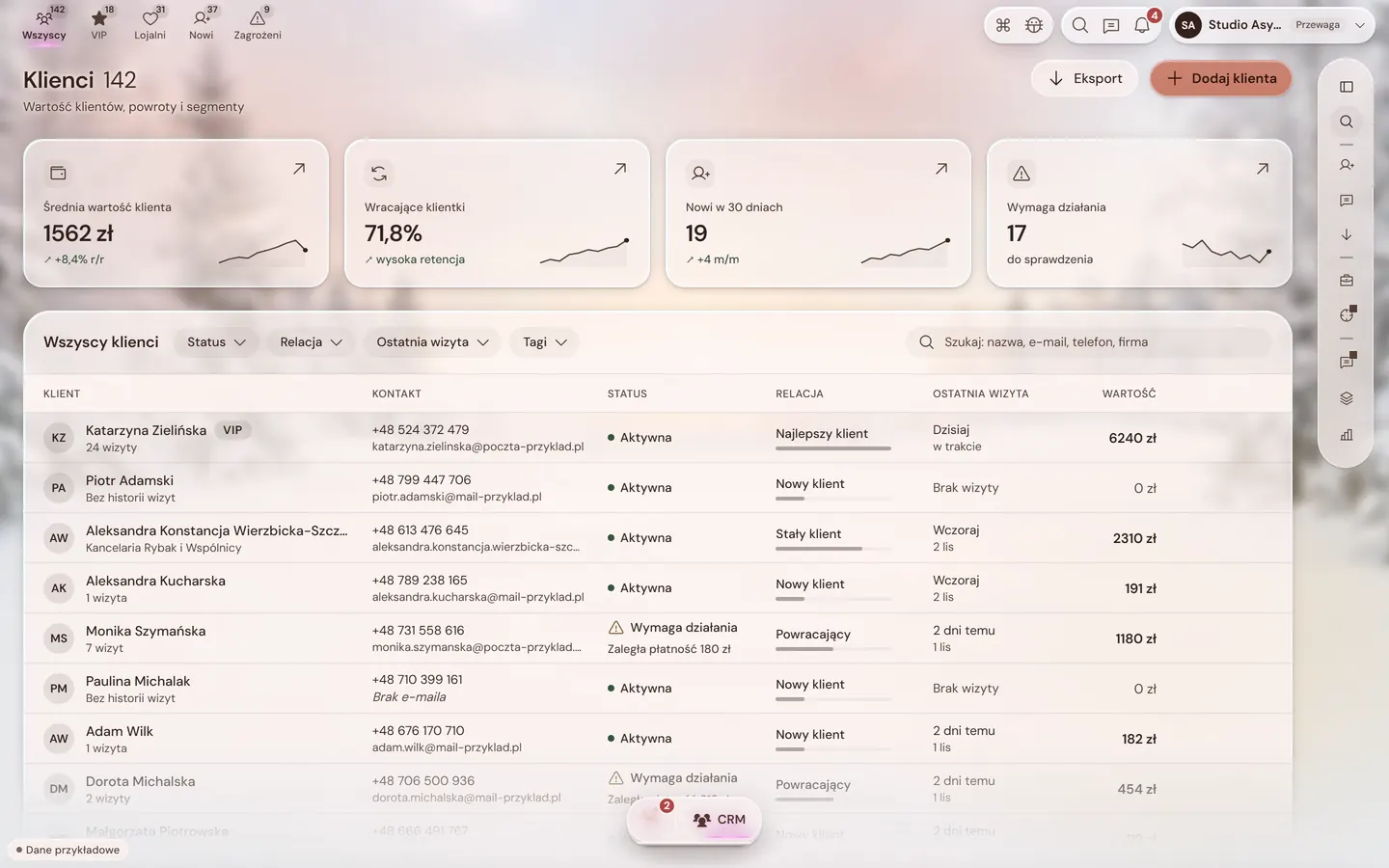
An invoice from the client card without retyping.

Open the client card and issue the invoice straight from the finished appointment or repair job.

  • Company data and service history already filled in
  • Inventory material costs attached beside the job
  • 30-day projected result based on your recorded documents
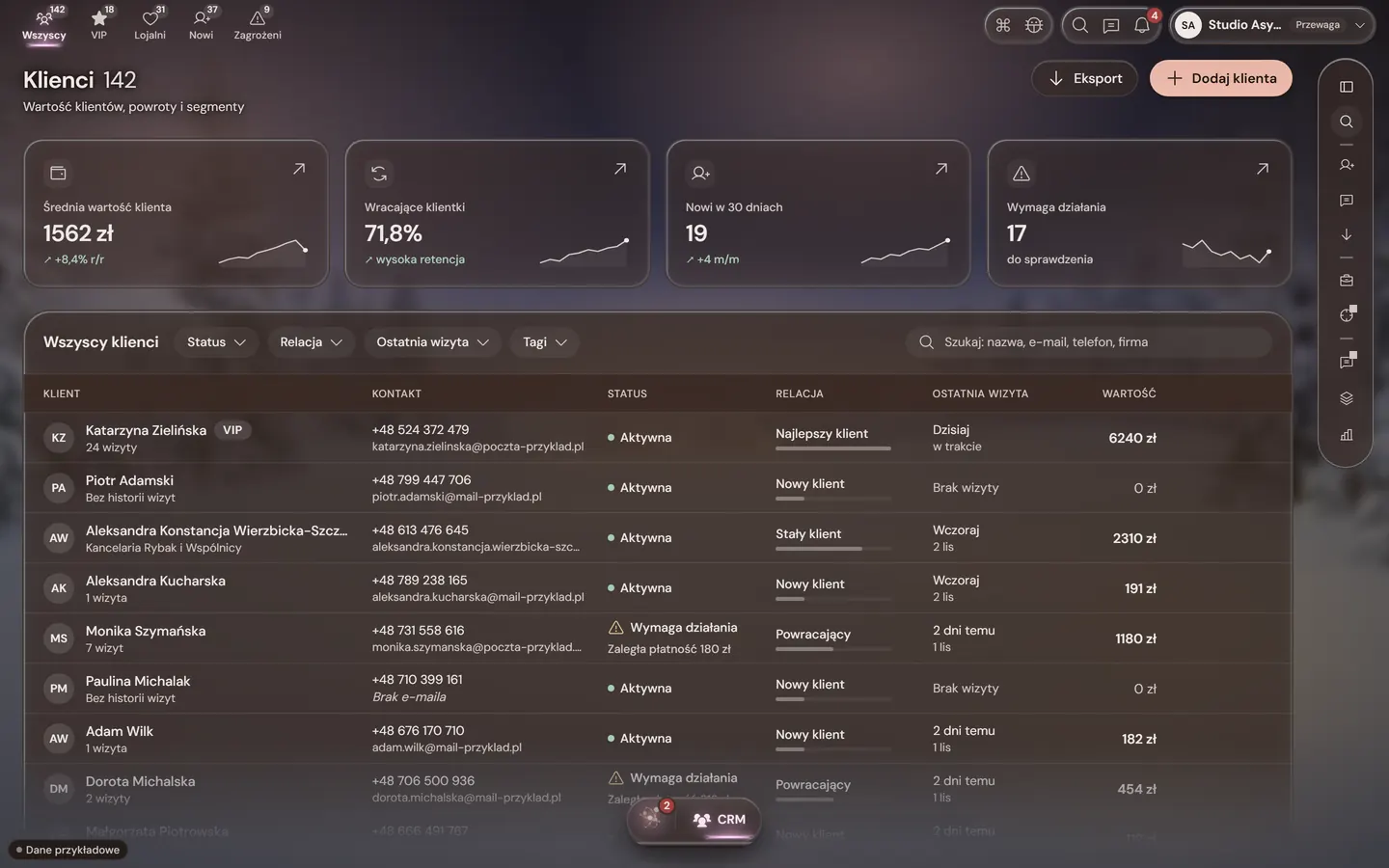
A client card from which an invoice is raised directly, sample dataA client card from which an invoice is raised directly, sample data
The client card as the source for invoice data

Asystio alongside an invoicing or accounting tool

You don't have to give up a tool you know.

  • inFakt

    Keep your accounting there. Asystio prepares the invoice from a visit or a job. Issue each invoice in one tool only, so the numbering stays in order.

  • Fakturownia

    Enough when you only issue invoices. Asystio adds client cards, a calendar, messages and invoices for KSeF on one platform.

  • wFirma

    Enough when you mainly need accounting. Asystio adds bookings, schedules and client cards, with invoices prepared for KSeF.

How do I issue an invoice from the client card after a service?

After the visit you open the client card and issue the invoice from its details, with no retyping. One list shows what is paid and what is waiting for payment.

Will Asystio replace my accountant?

No. Asystio issues and prepares documents and keeps the data in order. Bookkeeping and tax advice stay with your accountant.

Will a KSeF e-invoice go out by itself?

No. Asystio prepares it, and you check it and approve it.

Do invoices cost extra?

Invoices and KSeF e-invoice preparation are in the Przewaga plan for PLN 149 a month, with no commission on visits.

Where does Asystio get the invoice data?

From the client card and the finished service, so you don't retype it.

An alternative to inFakt: will Asystio replace it?

Not entirely. inFakt is online invoicing and accounting, and Asystio does not replace an accounting office. Asystio makes sense when the invoice should come from a visit or a job. You can keep your accounting in inFakt.

Can I use inFakt and Asystio together?

Yes. Accounting stays in inFakt, and in Asystio you run clients, the Calendar and invoicing. Issue each invoice in one tool only.

Fakturownia or a CRM with invoicing?

If you only need to issue invoices, Fakturownia is enough. It connects to CRM Sugester as a separate product with a separate subscription. In Asystio, client cards, the Calendar and invoices are in one plan.

Fakturownia or wFirma?

Fakturownia is an invoicing tool, and wFirma is online accounting and business management. Asystio replaces neither. It adds visits, schedules and client cards that the invoice comes from.

Will Asystio issue an invoice from a visit?

Yes. You prepare the invoice from a finished visit or a closed job. For KSeF, Asystio prepares it and you approve sending. For other tools' prices, check their official price lists.

Invoices without retyping.

Test it on your own data for 14 days.

Try 14 days for PLN 9.99

Test invoices and KSeF prep on sample data for 14 days. Refund PLN 9.99 by email.